-
 Disk space 25 GB
 -
 File server
-
 Online communication
 -
 Groupware
 -
 Web interface
 -
 24/7 support

SaaS Nextcloud Start
File Storage
- Disk space 50 GB
- File server
- Online communication
- Groupware
- Web interface
- 24/7 support
SaaS Nextcloud Business
File Storage
- Disk space 100 GB
- File server
- Online communication
- Groupware
- Web interface
- 24/7 support
SaaS Nextcloud Pro
File Storage
Nextcloud
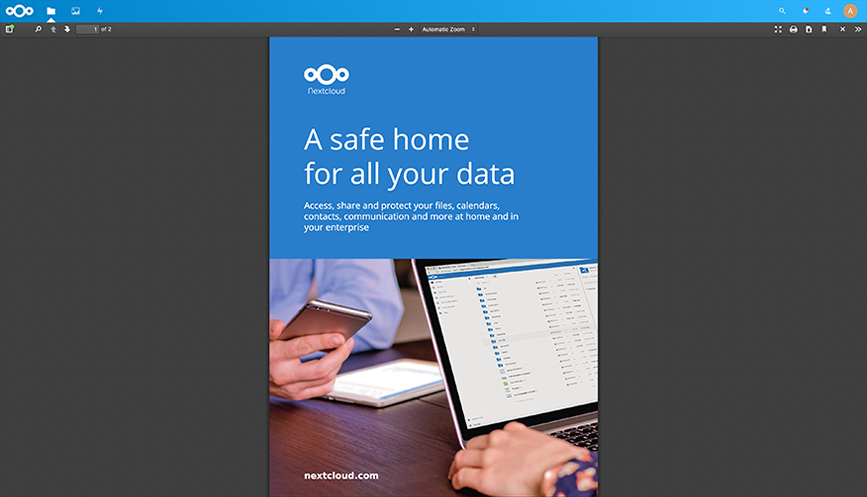
Nextcloud allows you to host and work with files. It allows you to share documents stored with it, edit them, receive e-mail and conduct video conferences. Full access to purchased resources, without the need to share them, is a guarantee of reliability and comfort in working with Nextcloud. In addition to a responsive interface, you can also use freely available applications for mobile devices. Nextcloud in the SaaS model is ready to go as soon as the service is activated. All you need to work with Nextcloud is a web browser and Internet access.
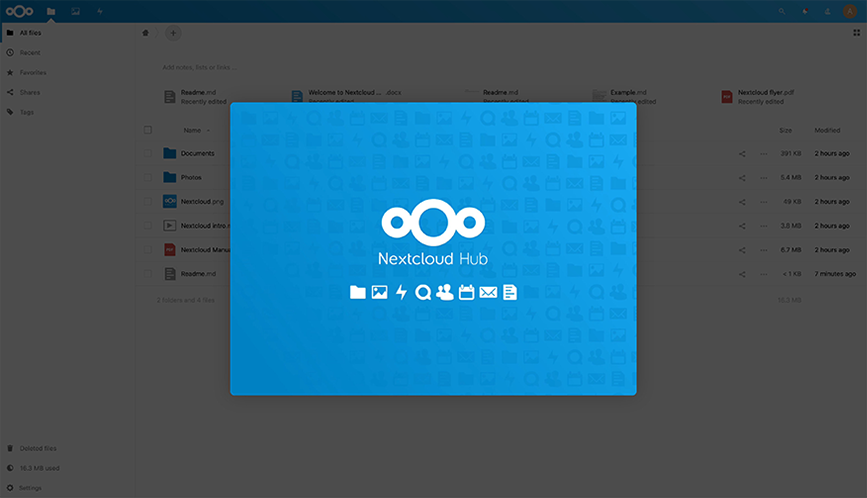
Nextcloud includes an environment for sharing and managing files. It is also a tool for direct user communication through audio, video and chat conferencing, and management of calendar, contacts and email. Using a controlled environment, Nextcloud users can exchange documents, photos and other files with each other. Access rules for individual data are defined by the administrator. Synchronisation of Nextcloud with mobile devices, for example, including the use of a dedicated app for iOS or Android, allows users to receive immediate notifications of new files.
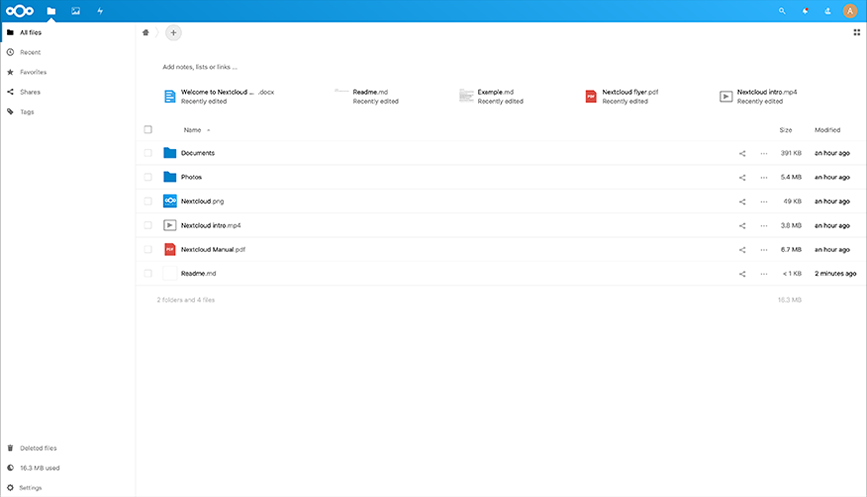
The Nextcloud interface can be accessed via a domain secured with an SSL certificate and a dedicated IP address. The SaaS Nextcloud service at netart.com uses fast Intel Xeon processors and offers a large NVMe disk space limit. Nextcloud's initial settings can be freely modified, allowing for enterprise and organisational applications. Full access to purchased resources, without the need to share them, is a guarantee of application speed. The security of the service is ensured by, among other things, full KVM virtualisation and hardware anti-DDoS protection.
Full specification | SaaS Nextcloud Start | SaaS Nextcloud Business | SaaS Nextcloud Pro |
Parameters
| Processors Efficient AMD EPYC processors enable fast operations on the SaaS service. |  | | |
| Maximum number of virtual processors (vCPU) The dedicated part of the physical processor provides the computing power needed to run the SaaS service at the level indicated in the selected offer. | 2 | 4 | 8 |
| RAM The dedicated portion of operational memory allocated to the SaaS service provides the resources needed for its smooth operation. | 8 GB | 16 GB | 32 GB |
| NVMe drives NVMe SSDs provide the high-speed read and write operations necessary for the SaaS service to function properly. The disk space is shared by user data, operating system, configuration files, logs and other files necessary for the service operation. | 25 GB | 50 GB | 100 GB |
| Link speeds The use of broadband, fibre-optic connections and access to multiple carrier traffic exchange points ensures fast data transmission. The maximum bandwidth of the SaaS service is specified in the selected offer. | 50 Mbps | 100 Mbps | 200 Mbps |
| Monthly transfer The transfer specifies the total amount of data sent from and to the Service within a calendar month, measured on the IP layer. | Unlimited | Unlimited | Unlimited |
| High-Availability Cloud Computing SaaS services run in a high-availability cloud, so they can be migrated between servers without the need to restart them. This makes it possible to guarantee the high SLA and resources on offer. | | | |
| IPv4 address The SaaS service exclusively receives 1 public IPv4 address to connect to it from the Internet. | | | |
| Virtualisation type KVM virtualisation ensures that the SaaS service is fully independent of other services running on the same physical server. All processes of the individual SaaS services run independently and use the resources allocated to each service. | KVM | KVM | KVM |
| SLA / Uptime | 99,9% | 99,9% | 99,9% |
| Backup copy To protect the data, daily snapshot backups are made and stored for 72 hours. | | | |
Management
| Available versions of the SaaS service As part of the SaaS service, it is possible to select the preferred version of the software. While using the service, the previously selected version can be changed using the SaaS Panel. | Nextcloud 27 | Nextcloud 27 | Nextcloud 27 |
| Service management panel SaaS service management can be accessed through the SaaS Panel. It allows you to perform SaaS service restart, reinstallation along with software version change, and view SaaS service usage. | | | |
Paid extras
 - available for the selected version
-- not available for the selected version
| Reverse DNS for IP address This service allows you to enter a description for the IP address assigned to your SaaS service. You will be able to replace the standard generated description of the dedicated-aez48.rev.netart.com type with a description of your choice such as myanydomain.com. Setting the description of the dedicated IP address according to the domain name of your choice will increase the reputation of your SaaS service on the Internet. | | | |
According to the terms and conditions, the promotion applies to the first billing period of service use. Details of the promotion are available in the regulations of the promotion.
What you get with Nextcloud?
-
![icon]() Mobility
Mobility Nextcloud is file storage and sharing software. It allows for direct communication between users and management of contacts, calendar and e-mail. Access to the application is possible not only from a web browser, but also via programs run, for example, on mobile phones.
-
![icon]() Security
Security From the moment of activation, access to the Nextcloud application is secured with an SSL certificate. KVM virtualization ensures full service autonomy. All processes operate independently and use individually allocated resources. For additional data protection, system backup copies in the form of snapshots are made every day.
-
![icon]() Possibility to add multiple users
Possibility to add multiple users SaaS Nextcloud allows you to upload and share all types of files, such as photos and documents, among others. Thanks to different access levels, the application administrator can decide on the permissions of individual users who have access to Nextcloud.


Main features of Nextcloud at netart.com
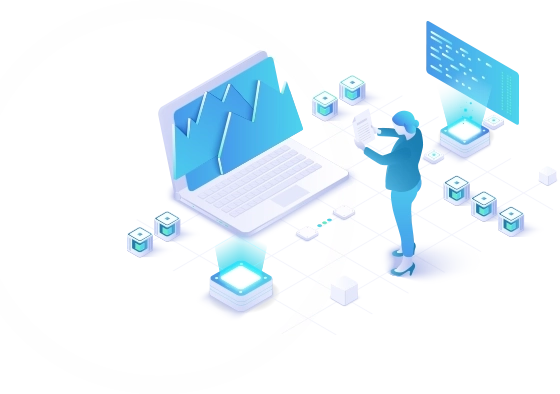
Fast implementation
Activation of the Nextcloud application at netart.com takes place immediately after payment is cleared.
Nextcloud software is automatically installed and configured, so it is immediately ready for use. This makes the process of implementation and production or use implementation of Nextcloud efficient and effective.
Ease of use
Launching the Nextcloud application in the netart.com cloud provides great flexibility and mobility, without the need to incur expenditure on creating or expanding your own infrastructure.
Using the intuitive SaaS Panel tool, you can, for example, restart the service, reinstall the software or gain access to statistics at any time.
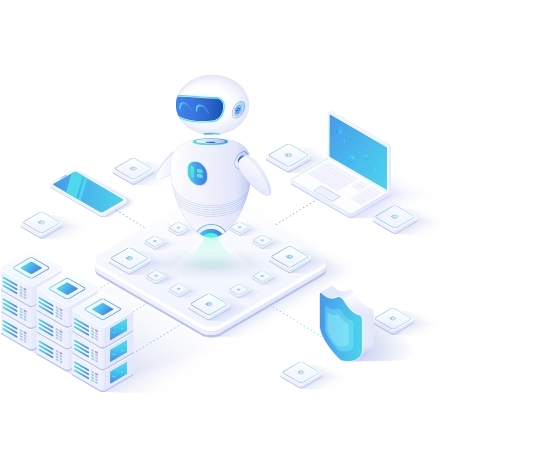
Low cost
The Nextcloud application at netart.com is available on a subscription basis. Its cost can be planned in the budget, and the availability of various configuration options allows you to optimize it according to your existing needs.
The Nextcloud application is a solution prepared especially for enterprises and individual users who need a reliable tool for file sharing, task planning, internal communication and contact management.
High-Availability Cloud Computing
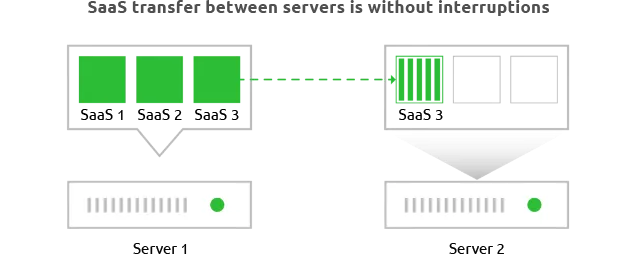
The SaaS Nextcloud service at netart.com is launched in a high-availability cloud computing environment, so it can be migrated between servers without the need to restart. The availability of resources is ensured by an automatic monitoring system that ensures load balancing across the entire server cluster while maintaining the continuity of each service.
Fast NVMe SSD drives in RAID 10
The Nextcloud SaaS service at netart.com uses local NVMe SSD drives in a RAID 10 configuration. This ensures quick access to data and security of the collected information. The large number of available IOPS operations enables the use of the Nextcloud SaaS service in production environments that require greater system resources.
Real-Time anti-DDoS Protection
Each Nextcloud SaaS service is protected against DDoS attacks and other network threats using FortiGate hardware firewalls. Individual security devices work in a redundant system, filtering traffic in microseconds.
CDN netart.com
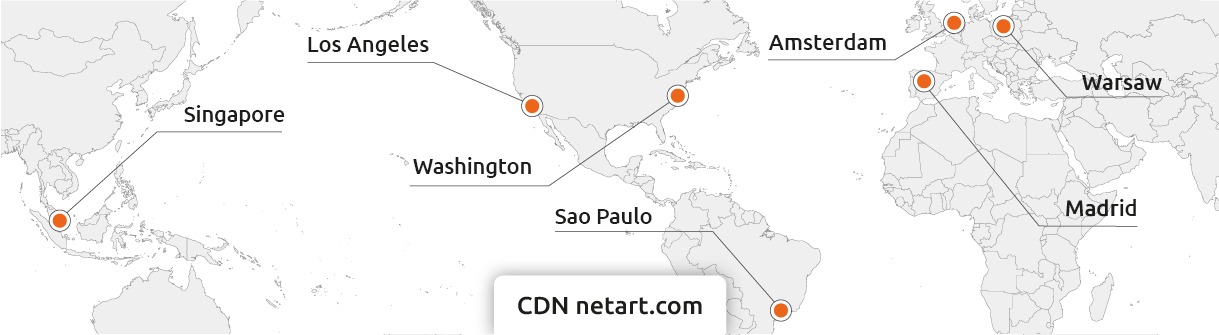
The additional netart.com CDN service allows you to use Nextcloud using any domain owned by the user, with its own SSL certificate. Integration with netart.com CDN allows access to logs including information about connections from the user to CDN nodes and from CDN nodes to Nextcloud. Detailed statistics of traffic to and from the application, which can be viewed in the Customer Panel in graphical form, is another advantage of integration with the netart.com CDN service. Thanks to Content Delivery Network nodes in Poland, Europe, Asia and the USA, CDN netart.com accelerates Nextcloud regardless of where its users are currently located.
Choose the best solution for your needs
ORDER NextcloudNextcloud FAQs
-
Nextcloud is a software application for storing and sharing files, direct communication between users, and managing contacts, calendar, and mail. Access to the application is realized not only from the level of a web browser, but also through programs running on mobile phones. As a provider of cloud solutions, netart.com is responsible for maintaining the infrastructure under the software it runs. The service is not supported by Nextcloud GmbH.
-
SaaS Nextcloud allows you to upload and share all kinds of files, including photos and documents. Thanks to different access levels, the application administrator can decide on user permissions. An additional advantage of Nextcloud is the ability to conduct audio, video and chat communication with other users, as well as calendar and e-mail support.
-
Disk space determines the maximum capacity that can be used by Nextcloud's SaaS. This space is shared by user data, the operating system, configuration files, logs and other files necessary for the operation of the service. The appropriate choice of disk space is crucial to ensure proper operation of the service and should be checked regularly using the tools provided.
-
You can order the Nextcloud SaaS service at www.netart.com by selecting the parameters you are interested in, such as the number of vCPUs, NVMe disk capacity and available bandwidth. After activation, you will receive a message from us with information that will allow you to start using the Nextcloud application.
-
The cost of the Nextcloud SaaS service is independent of the number of users who will receive access to it from the administrator. You can use the power of your service in any way you want and add as many user accounts as it can handle.
-
Yes! All you need to do is integrate your Nextcloud SaaS service with CDN netart.com nodes in Poland, Europe, Asia and the US will then store copies of files from your Nextcloud SaaS service physically closer to the recipients. This will avoid the need to transfer data directly from a SaaS service that may be geographically located further away than the user who is downloading data from it.